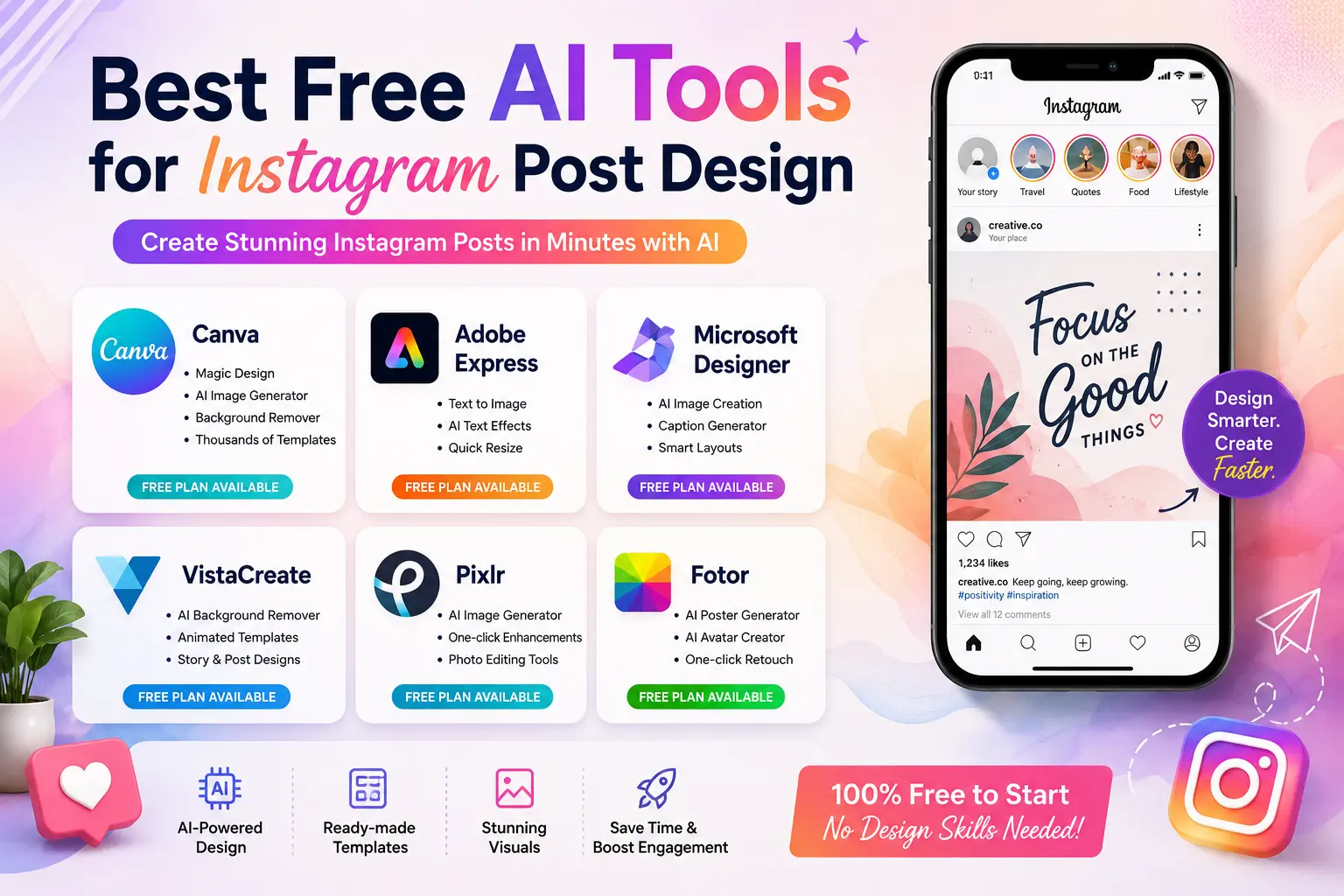
Instagram content has changed dramatically over the last few years. Earlier, posting a simple photo with a basic caption was enough to attract engagement. Now, audiences expect visually polished graphics, creative layouts, engaging reels, and branded content that feels professional from the very first glance.
That shift is exactly why more creators are turning toward Artificial Intelligence-powered design platforms. These tools are helping businesses, influencers, freelancers, and beginners create high-quality visuals without spending hours learning complicated editing software.
What makes this even more interesting is how modern creators are combining visual design with a Subtitle Generator AI for Reels to improve watch time, accessibility, and engagement. Since most users watch reels without sound during scrolling, subtitles have quietly become one of the most important growth strategies on Instagram.
After testing multiple free platforms over the past few months for social media workflows, one thing became very clear: the best tools are not necessarily the most advanced ones. The platforms that actually help creators grow are the ones that save time, simplify editing, and allow consistent branding without making the process overwhelming.
This guide covers the best free tools available right now, how they work, where they perform best, and which type of creator should use them.
Why AI Design Platforms Are Becoming So Popular
Creating social media graphics manually takes time. A single Instagram carousel can easily consume hours if you start from scratch. Most small creators simply do not have the time or budget for that kind of workflow.
Modern design platforms solve this problem by automating repetitive tasks.
Instead of manually removing backgrounds, adjusting layouts, selecting matching colors, or resizing images for different formats, intelligent editing systems can now do those things within seconds.
For creators posting daily content, that speed matters a lot.
Another reason these tools are growing quickly is accessibility. Traditional editing software often feels intimidating for beginners. Many people give up before even learning the basics. In comparison, newer platforms simplify everything through templates, drag-and-drop editors, and automated suggestions.
The result is simple:
better visuals in less time.
What Makes a Good Instagram Design Tool?
Not every platform is useful for social media creators. Some look impressive initially but become frustrating during actual usage.
After experimenting with different tools for content creation, a few features consistently stand out.
Easy Interface
A complicated dashboard slows down productivity. The best platforms feel intuitive even for first-time users.
If someone can open the app and create a decent post within ten minutes, that tool is already doing something right.
Ready-Made Templates
Templates save an incredible amount of time.
Good platforms usually include:
- Story templates
- Carousel layouts
- Promotional banners
- Product showcase designs
- Minimal quote posts
Creators managing multiple accounts benefit heavily from pre-designed layouts because they reduce decision fatigue.
Smart Image Generation
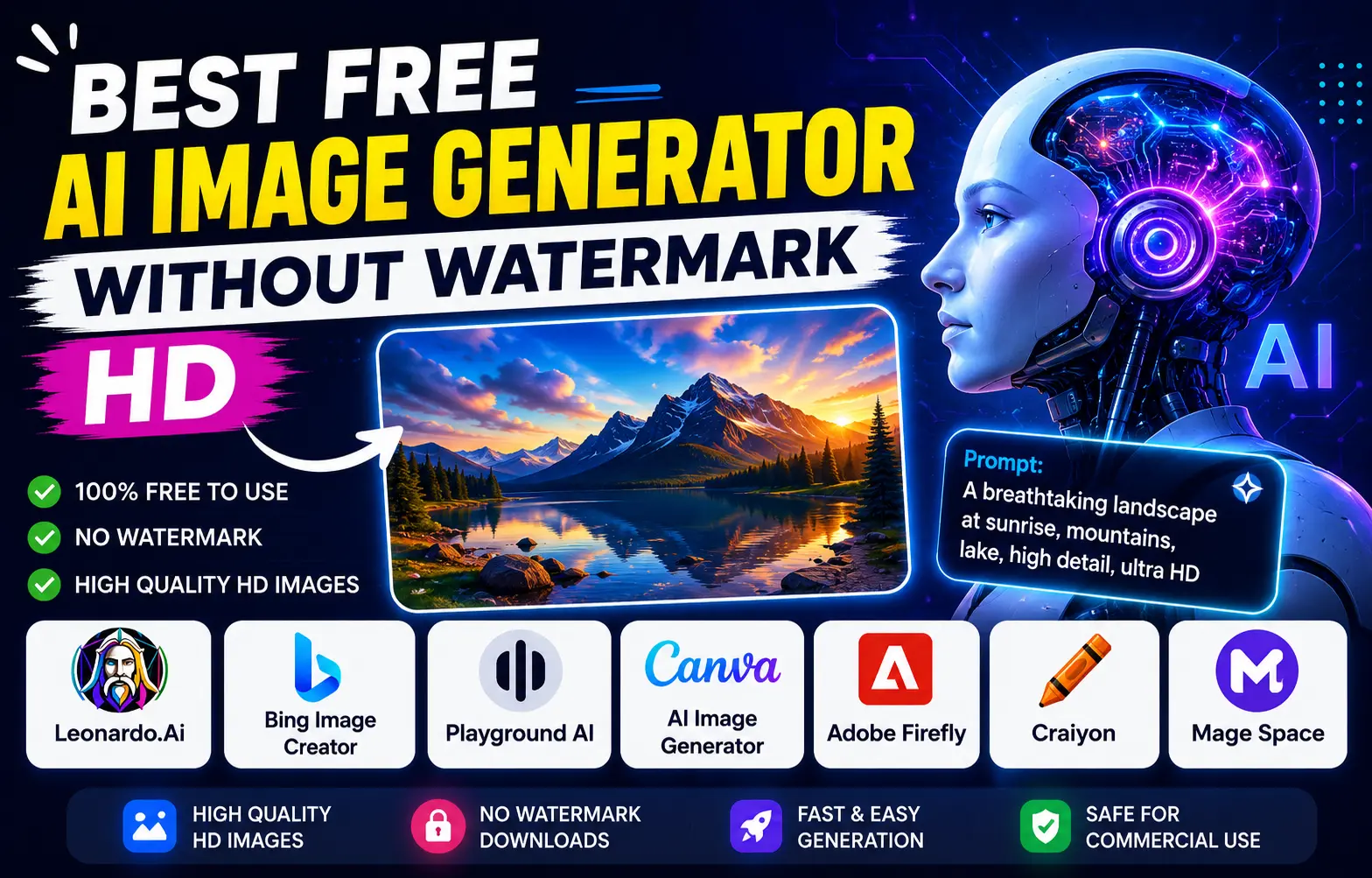
One of the most useful additions in recent years has been text-to-image generation.
Instead of searching endlessly for stock images, users can now type prompts like:
- “minimal coffee shop Instagram post”
- “luxury fashion sale banner”
- “modern fitness reel cover”
…and generate visuals instantly.
The quality still varies depending on the platform, but it has improved significantly.
Background Removal
This feature sounds simple until you actually need it regularly.
Product pages, personal brands, and influencers constantly remove backgrounds for cleaner visuals. Doing that manually used to require editing skills. Now it often takes one click.
Auto Resize for Different Formats
One frustrating issue creators face is resizing the same content repeatedly.
A post designed for the feed may not fit stories properly. Good platforms automatically adjust dimensions for:
- Stories
- Reels covers
- Feed posts
- Pinterest graphics
- YouTube thumbnails
That flexibility saves time every week.
Best Free AI Tools for Instagram Post Design
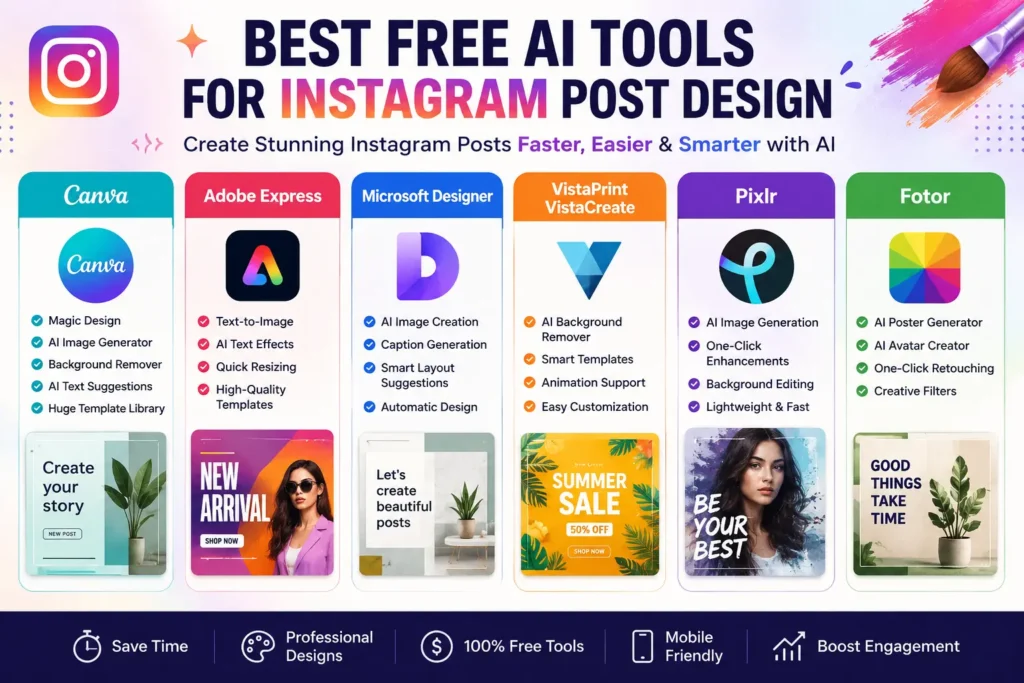
1. Canva
There is a reason Canva dominates social media design discussions.
For beginners especially, it is probably the smoothest starting point available right now.
The interface feels clean, templates are organized properly, and the learning curve is minimal. Even users with zero editing experience can usually create professional-looking posts surprisingly fast.
Features That Actually Help
- Magic Design suggestions
- AI-generated visuals
- One-click background remover
- Social media templates
- Mobile editing support
One thing many creators appreciate is consistency. Once you create a brand kit with fonts and colors, maintaining visual identity becomes much easier.
Where Canva Works Best
- Small businesses
- Instagram carousels
- Daily content creators
- Freelancers managing client accounts
Small Drawback
The free version is excellent, but certain premium elements appear frequently while editing, which can occasionally interrupt workflow.
Still, for most creators, Canva remains one of the strongest free options available.
2. Adobe Express
Adobe Express feels more polished visually compared to many free platforms.
The templates often look cleaner and slightly more premium, especially for business promotions and modern branding content.
One noticeable advantage is typography. Text styling inside Adobe Express tends to look more refined compared to some beginner-focused tools.
Useful Features
- Text-to-image generation
- Animated text effects
- Automatic resizing
- Brand-focused templates
This platform works particularly well for creators who prefer modern minimal aesthetics.
Best For
- Professional branding
- Promotional campaigns
- Stylish carousel posts
Limitation
Free credits can disappear quickly if you rely heavily on advanced generation tools.
3. Microsoft Designer
Microsoft Designer surprised many creators after launch because of how simple the workflow feels.
Instead of overwhelming users with too many editing controls, the platform focuses heavily on automation.
You type an idea, and the tool instantly suggests layouts, text combinations, and visuals.
For creators working under tight deadlines, this can genuinely reduce production time.
Strong Features
- Caption suggestions
- Smart layouts
- Instant visual generation
- Marketing templates
Best Use Cases
- Promotional graphics
- Quick announcements
- Event posts
- Product advertisements
One thing worth mentioning is that the platform feels especially useful for people who dislike spending too much time adjusting tiny design details manually.
4. VistaPrint VistaCreate
VistaCreate is underrated in the social media space.
It performs particularly well for animated content and Instagram stories.
Some creators prefer it specifically because the layouts feel more dynamic and movement-focused compared to traditional static design tools.
Helpful Features
- Animated templates
- Background removal
- Story-focused layouts
- Motion graphics
Best For
- Story creators
- Fashion pages
- Beauty brands
- Reels covers
The customization process also feels lightweight, which helps beginners avoid getting overwhelmed.
5. Pixlr
Pixlr works especially well for photo-heavy pages.
Creators who regularly edit portraits, product photos, or aesthetic visuals often enjoy its editing flexibility.
Unlike heavier editing software, Pixlr runs directly in the browser and loads quickly.
Useful Tools
- One-click enhancements
- AI image generation
- Lighting adjustments
- Background editing
One thing many users appreciate is speed. Small edits can be completed rapidly without opening large desktop applications.
Drawback
The advertisements inside the free version can become distracting during long editing sessions.
6. Fotor
Fotor focuses heavily on visual creativity.
The platform feels particularly useful for creators making posters, promotional campaigns, or eye-catching artistic graphics.
Features
- AI poster creator
- Avatar generation
- Quick retouching
- Creative filters
Best For
- Marketing visuals
- Creative promotions
- Artistic edits
Some exports in the free plan include restrictions, but casual creators will still find plenty of value here.
Comparison Table
| Tool | Best For | Beginner Friendly | Templates | Watermark-Free Export |
| Canva | Overall content creation | Yes | Excellent | Yes |
| Adobe Express | Premium branding visuals | Yes | High-quality | Limited |
| Microsoft Designer | Fast promotional posts | Yes | Good | Yes |
| VistaCreate | Animated stories | Yes | Good | Yes |
| Pixlr | Photo editing | Moderate | Moderate | Yes |
| Fotor | Creative graphics | Yes | Good | Limited |
Also Know more about:
AI Voice Generator For YouTube Videos Free
AI Reel Maker from Text Free Tools and more.
How to Create Better Instagram Posts Faster
Most creators waste time trying to perfect every tiny detail. Ironically, simple and clean designs often perform better.
Here’s a practical workflow that actually works consistently.
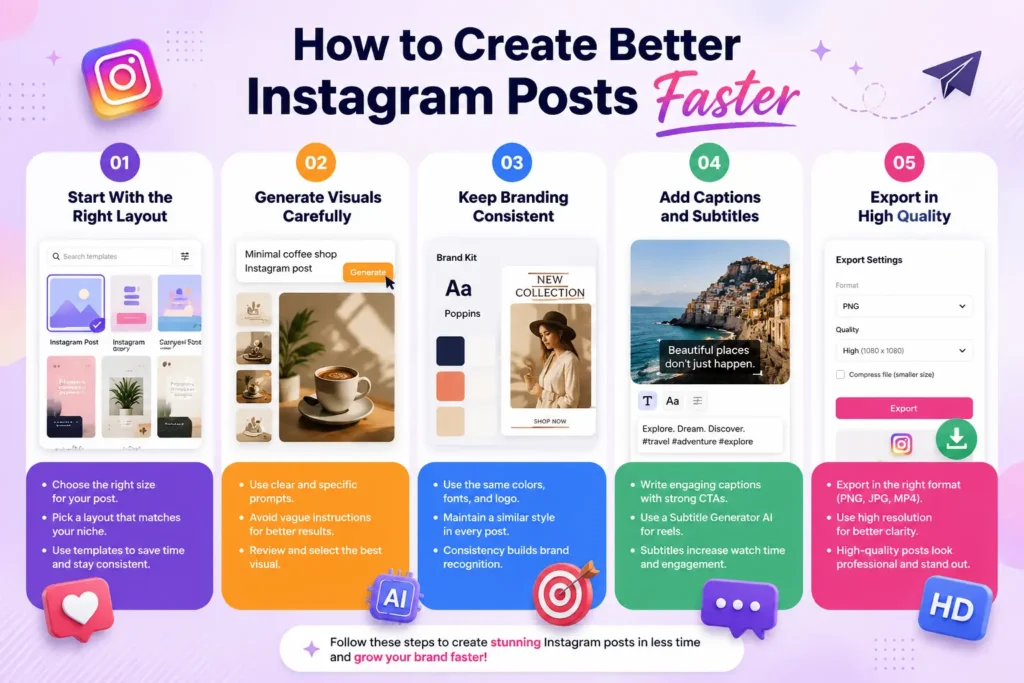
Step 1: Start With the Right Layout
Choose templates based on your niche.
For example:
- Fitness pages perform well with bold typography
- Luxury brands usually benefit from minimal layouts
- Educational creators often use carousel formats
Avoid selecting random templates just because they look attractive.
Step 2: Generate Visuals Carefully
AI-generated images work best when prompts are specific.
Instead of:
“Instagram post”
Try:
“minimal skincare product promotion with soft beige background and modern lighting”
The more descriptive the prompt, the better the output usually becomes.
Step 3: Keep Branding Consistent
One mistake many beginners make is constantly changing fonts, colors, and styles.
Consistency matters more than perfection.
Audiences start recognizing your content faster when:
- Colors remain similar
- Typography stays consistent
- Layout structure feels familiar
That familiarity improves trust over time.
Step 4: Add Captions and Subtitles
Visuals grab attention, but captions improve interaction.
Strong CTAs still matter:
- “Save this for later”
- “Comment your thoughts”
- “Share with someone who needs this”
For reels, using a Subtitle Generator AI for Reels can improve retention dramatically because many users watch content silently during scrolling.
Creators often underestimate how much subtitles affect watch time.
Step 5: Export in High Quality
Low-resolution uploads immediately reduce professionalism.
Always export in HD resolution before publishing.
Recommended formats:
- PNG for graphics
- JPG for photography
- MP4 for reels
Sharp visuals make a noticeable difference in engagement.
Common Mistakes That Hurt Instagram Content
Even strong tools cannot fix weak content habits.
Here are mistakes creators still make regularly.
Overusing Effects
Too many animations, shadows, and transitions can make designs look messy.
Cleaner posts often perform better.
Ignoring Brand Identity
Switching styles constantly confuses audiences.
Consistency builds recognition.
Adding Too Much Text
Instagram is visual-first.
Large text blocks usually reduce readability on mobile screens.
Uploading Blurry Graphics
Poor image quality instantly reduces credibility.
Always preview content before publishing.
Depending Completely on Automation
This is probably the biggest mistake.
Tools can assist creativity, but they should not replace personality, storytelling, or originality.
The creators growing fastest right now are still the ones adding human perspective to their content.
Are Free Tools Actually Worth Using?
For most creators, absolutely.
Many free platforms today are powerful enough for:
- Small businesses
- Freelancers
- Influencers
- Startup brands
- Content creators
Paid plans become useful later, but beginners can build strong Instagram pages without spending money initially.
The important part is consistency, not expensive software.
Free vs Paid Features
| Feature | Free Plans | Paid Plans |
| Templates | Limited access | Full library access |
| Export Quality | Usually HD | Higher export flexibility |
| Watermarks | Present on some tools | Mostly removed |
| AI Credits | Restricted | Extended usage |
| Brand Kits | Basic | Advanced customization |
| Collaboration Tools | Limited | Team workflows available |
The Future of Instagram Content Creation
The role of Artificial Intelligence in social media creation will continue expanding rapidly.
We are already seeing:
- AI-generated branding kits
- Smarter automation
- Personalized design recommendations
- Advanced reel editing
- Faster subtitle generation
Short-form video creation will likely become even more automated over the next few years.
However, authenticity will still matter.
People connect with creators, stories, opinions, and experiences — not just polished graphics.
That balance between automation and human creativity is what will separate average content from memorable content.
Conclusion
Creating high-quality Instagram visuals no longer requires expensive software or professional design experience. Modern platforms have made content creation faster, easier, and more accessible than ever before.
Whether you are managing a business page, growing a personal brand, or creating content as a beginner, tools like Canva, Adobe Express, Microsoft Designer, Pixlr, and Fotor can simplify the entire process significantly.
The smartest approach is not relying entirely on automation. Instead, use these platforms to speed up workflow while focusing your energy on creativity, storytelling, and consistency.
In the long run, audiences remember authentic content more than perfect graphics.
Frequently Asked Questions (FAQs)
1. What is the best free tool for Instagram post design?
Canva remains one of the best choices for beginners because it combines simplicity, templates, and smart editing features in one platform.
2. Can beginners create professional Instagram posts easily?
Yes. Most modern platforms are designed specifically for non-designers and include templates, drag-and-drop editing, and automated suggestions.
3. Why are subtitles important for reels?
Subtitles improve accessibility, increase watch time, and help viewers understand content even when videos are muted.
4. Which platform is best for animated Instagram stories?
VistaPrint VistaCreate is particularly strong for animated stories and motion-based templates.
5. Are free design platforms enough for growing Instagram pages?
For most beginners and small creators, free versions are more than enough to create professional-looking content consistently.