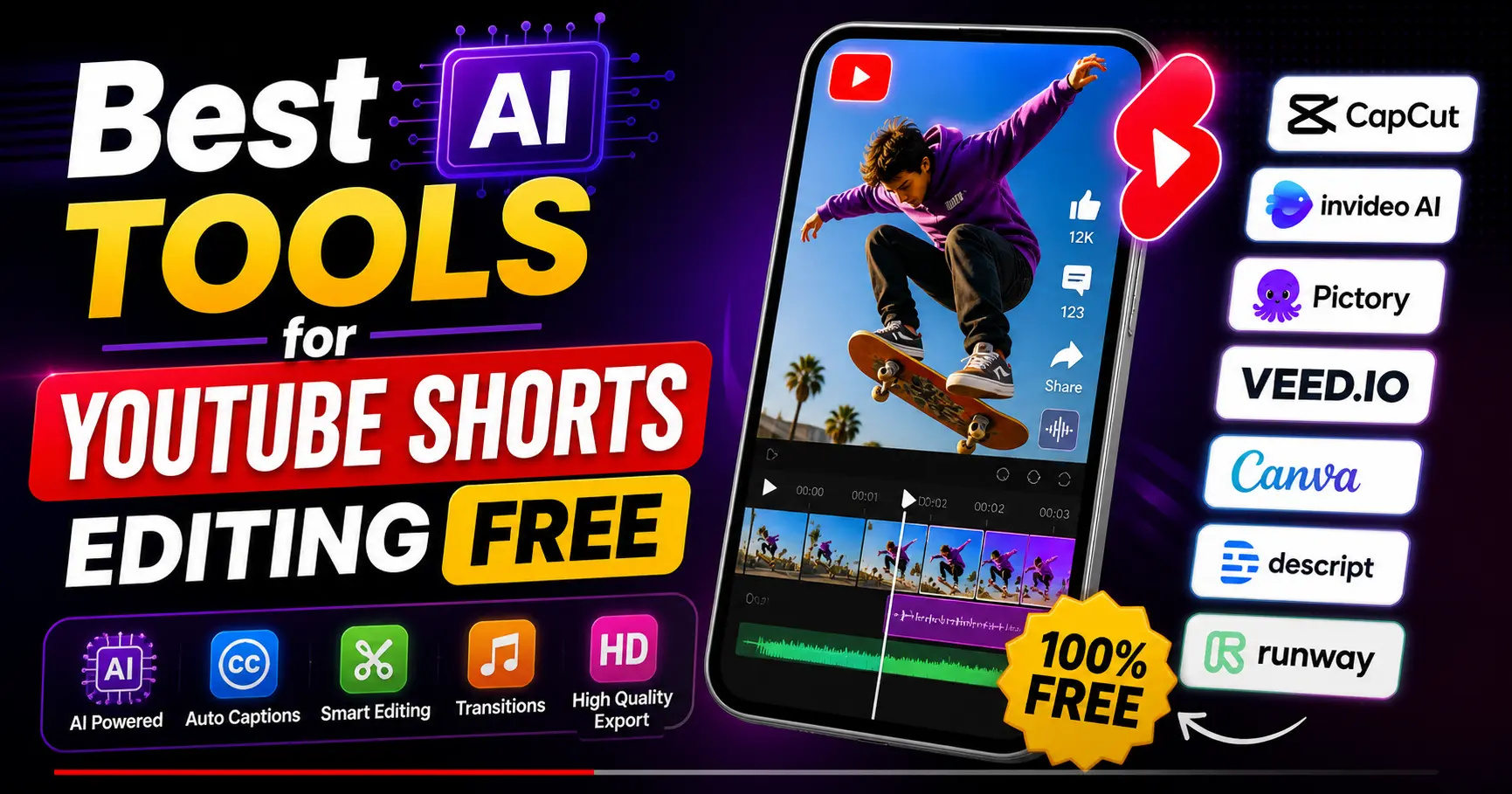
Browse YouTube today and a single thing strikes you immediately, short-form videos are all over. YouTube Shorts, specifically, become an effective means of creators to access new audiences fast. The format is quick, interesting and very competitive.
However, this is the truth that most beginners have to face: these short videos are not as easy to edit as it may seem. Editing of clips, captions, transition timing, and keeping pacing can take hours- more so when you are not a professional.
This is precisely the point where Artificial Intelligence begins to play a huge role. Makers no longer have to deal with every detail by hand, but can now afford to trust smart tools that do all the work. Auto-generating subtitles, finding the most interesting sections of a video, and more, these tools can assist you in saving time without compromising the quality.
Even better is that you do not have to spend a lot of money to start. The Best AI Tools to use to edit YouTube Shorts have many available free plans, and they can do so successfully by novices and developing creators.
This guide contains valuable experience, candid notes, and explicit comparisons to assist you in selecting the appropriate tool and begin creating content with greater efficiency.
What Makes a Good AI Tool for YouTube Shorts Editing?
Not all tools will be appropriate to your workflow. There are those that are speed-oriented and those that are more control-oriented. The trick is to understand what features are really important when it comes to developing short-form videos.
Features That Are Making a Difference.
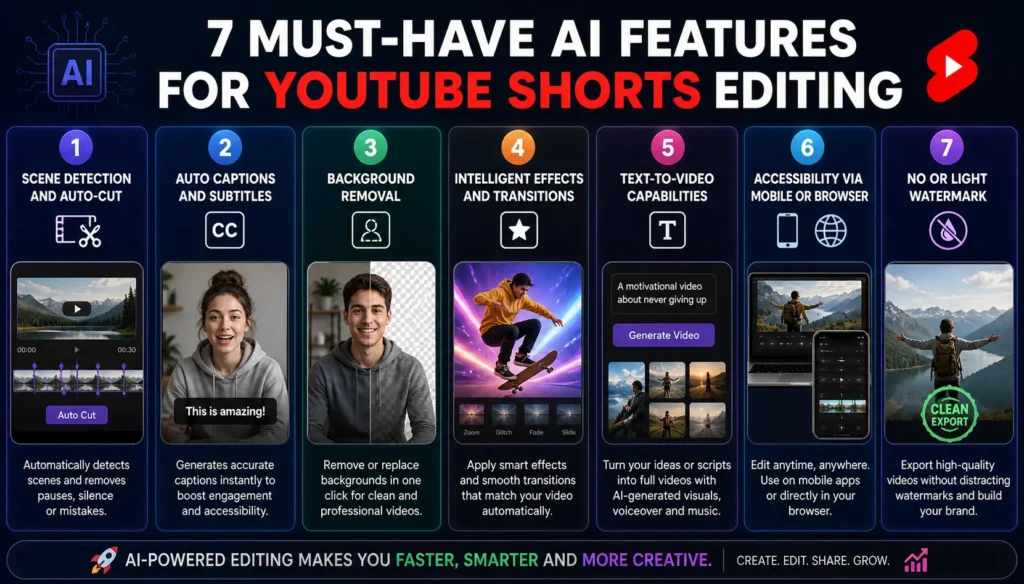
1. Scene detection and auto-cut
One of the largest time-saving. This means that, instead of having to scrub through footage and identify pauses, errors, and pivotal moments, these tools will do it on your behalf.
2. Auto captions and subtitles
A big portion of the audience is watching videos with the mute on. It is no longer optional to add captions because it directly affects the duration of time they remain on your content.
3. Background removal
This will immediately enhance your image. When the tool can clean or replace your background in seconds, you do not need a studio set up.
4. Intelligent effects and transitions
Good editing is sometimes subtle. The clean transitions keep the viewers entertained, but not cluttered in the video.
5. Text-to-video capabilities
This is very handy, should you not want to be on camera. You are able to make scripts into full-fledged videos with pictures and voice tracks.
6. Accessibility via mobile or browser
Flexibility matters. The tool should fit into your routine whether you are commuting on your phone and editing or on your laptop.
7. No or light watermark
Clean exports can be used to ensure a professional appearance, in case you are creating a serious channel.
Best AI Tools for YouTube Shorts Editing Free
Having tried and seen in actual workflows how these tools would work, here is a breakdown that goes further than features.
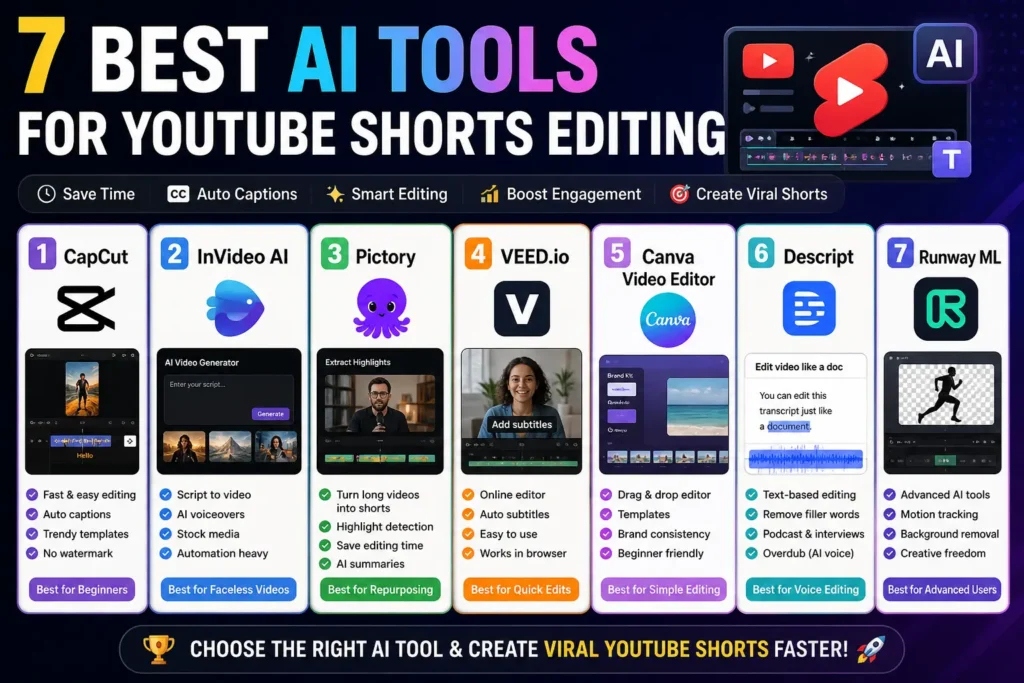
1. CapCut – Quick, Easy, and Surprisingly Powerful
Creator of tools usually tries CapCut first- and rightfully so. It is user-friendly, yet one is not constrained with it.
The best part is that you can create a perfect video in a very short time. The auto-caption is a good function, and the pre-integrated templates facilitate it to be more in-line with trending styles.
Where it shines:
- Rapid social media edits.
- Novices who desire quick gains.
In what it is wanting:
- Limited control of highly customized edits.
2. InVideo AI – Perfect to produce faceless content
InVideo AI is an option to consider in case you have ever considered making videos without filming yourself.
You just need to drop a script, and it creates a video with its visuals and voiceovers. This alters the content creation format particularly in learning or narrative mediums.
Where it shines:
- Script-based videos
- Automation-heavy workflows
In which it lags:
- Weaker mastery of details.
3. Pictory – Long Content Short Gold
Pictory is especially handy when you already produce long videos, blogs or podcasts.
It does not start with a blank piece of paper but identifies highlights and transforms them into short videos. This is among the most effective methods of scaling the content production.
Where it shines:
- Repurposing existing content
- Conserving time on editing.
In which it does fail:
- Not so well suited to very creative edits.
4. VEED.io – Clean and Convenient online editing
- VEED.io is browser-based, making it very accessible.
- The interface is easy to use, and subtitles are easily added. It is a good choice, when you need something true, not installing software.
Where it shines:
- Rapid edits across all devices.
- Subtitle generation
Where it wants:
- Free version limitations
5. Canva Video Editor – Made to Be Simple
Canva is no longer a graphics tool. Its video editor is quite surprisingly good, particularly among beginner video editors.
This is not new to you, in case you are already using Canva to design. Templates also assist in ensuring uniformity which is useful in branding.
Where it shines:
- Beginners
- Visual consistency
In which it is wanting:
- Poor editing capabilities.
6. Descript – Vid Doc Editing
Descript is a totally different approach. You do not edit timelines, you edit text.
All you need to do is to edit your transcript to remove fillers, correct sentences, and polish your text. This is a big difference when it comes to interviews or talking-head videos.
Where it shines:
- Voice-based content
- Podcasts and interviews
In the area of its deficiency:
- Not constructed to be heavily edited.
7. Runway ML – To be creative and innovative
Runway ML is more of a toolkit than a simple editor.
It has such features as motion tracking and hi-tech background editing. Although it might be time intensive to learn, it provides opportunities that other less complex tools do not.
Where it shines:
- Creative projects
- Advanced users
What it lacks is:
- Learning curve
Comparison Table: Quick Overview
| Tool | Best For | Free Plan | Key Strength | Watermark |
| CapCut | Beginners & trends | Yes | Speed & ease | No |
| InVideo AI | Script-based videos | Yes | Automation | Yes |
| Pictory | Repurposing content | Yes | Highlight detection | Yes |
| VEED.io | Online editing | Yes | Accessibility | Yes |
| Canva | Simple editing | Yes | Templates | No |
| Descript | Voice editing | Yes | Text-based editing | Limited |
| Runway ML | Advanced creators | Yes | Creative control | Yes |
Also know more about:
AI Video Editing Apps for Android Without Watermark
AI Video Editor Without Watermark Free For Youtube
Best Free AI Video Editing Tools for Beginners and more.
How to Choose the Right Tool
Choosing the right platform becomes easier when you focus on your needs rather than features.
1. “When you are a beginner, something simple and fast is the best bet
In the beginning, being new is not the most important thing you can do but rather be overwhelmed.
High-tech tools may slow you down since:
- Excessive features = perplexity.
- Longer learning curve
- Less time making than making things out.
Made with simple tools (such as simple editors with templates):
- Edit faster
- Learn the basics
- Stay consistent
Real meaning:
Work on releasing videos rather than polishing them..
2. “When you make educational or faceless content, robots come in handy.”
Faceless or educational texts tend to be based on:
- Scripts
- Voiceovers
- Stock visuals
You are creating videos out of ideas rather than filming them
Automation tools come in handy since they:
- Turn text to video.
- Add voiceovers automatically
- Suggest visuals
Real meaning:
You save hours as the tool constructs the video on your behalf rather than manually editing..
3. “Repurposing tools save time in case you already create long videos.”
If you create:
- YouTube long Videos
- Podcasts
- Webinars
You already possess content- you just need to re-use it intelligently..
Repurposing tools:
- Automatically find key highlights.
- Transform long videos into short videos.
- Assist you in posting more without creating new content.
Real meaning:
You can work smarter by using reuse rather than working harder.
4. “In case you are more concerned with creativity, more sophisticated tools will provide you with greater flexibility.
Some creators want:
- Unique edits
- Cinematic visuals
- Custom effects
Simple tools may be restricting in this case.
Advanced tools allow:
- Increased editing freedom.
- Custom animations
- Creative storytelling in
But trade-off:
- Slow in learning.
- Slower editing processes
Real meaning:
You lose speed to creative freedom and uniqueness.ss.
How to Edit YouTube Shorts Using AI (Step-by-Step)
- Choose a tool that suits your workflow.
- Post your video or text.
- Allow the tool to do preliminary edits.
- Include captions and enhance images.
- Change the video to a vertical format (9:16).
- Export at high resolution.
- Post with a good title and description.
As you repeat this process a couple of times it becomes much quicker.
Free vs Paid Tools: What’s the Real Difference?
Free tools suffice when you are getting started. They make you learn, experiment and know what works.
Nonetheless, as you expand your content, you can find that there are restrictions of one kind or another, such as watermarks, quality of export, or reduced functionality. It is at this point that paid plans start to make sense.
The transition normally occurs automatically after you begin to record constant results.
Common Mistakes That Hold Creators Back
With the finest tools, there are habits that can slow your growth:
- Disregarding the vertical form.
- Overeffecting.
- Skipping captions
- Exporting low-quality videos
- Failure to keep up with trends.
These small things can be fixed to make a difference.
Practical Tips to Improve Your Shorts
- Focus on the first few seconds—they decide whether people keep watching
- Keep your edits clean and purposeful
- Use captions to guide attention
- Keep videos short and engaging
- Study what’s already working in your niche
Consistency matters more than perfection.
Conclusion
YouTube Shorts no longer needs to be a time-consuming and tricky process. Editing is quicker, more effective and much less intimidating with the strength of Artificial Intelligence.
The Best AI Tools to edit YouTube Shorts are not only about time-saving but also provide you with the liberty to concentrate on what really influences growth; ideas, storytelling, and consistency.
This is because instead of analysing the process, begin with simple things. Select a tool, make your first Short, and make it better each time you upload.
Ultimately, perfection does not lead to growth, but showing up does. And now, with the proper equipment you have all you need to begin.
Frequently Asked Questions (FAQs)
1. Are AI tools reliable for editing YouTube Shorts?
Yes, AI tools for YouTube Shorts editing are highly reliable. They can automatically cut clips, generate captions, and improve pacing, which significantly reduces editing time while maintaining consistent video quality.
2. Which AI tool is best for beginners?
For beginners, tools like CapCut and Canva are excellent choices. They offer simple interfaces, ready-made templates, and easy editing features, making it possible to create professional-looking Shorts without prior experience.
3. Can I edit YouTube Shorts without a watermark for free?
Yes, some free AI video editing tools allow you to export videos without watermarks. Platforms like CapCut and Canva provide clean exports, which makes them suitable for creators who want a more professional look.
4. Do AI tools help videos perform better on YouTube?
AI tools improve editing speed, video quality, and engagement through features like captions and smart cuts. However, performance on YouTube still depends on content quality, consistency, and audience retention.
5. Should I upgrade to a paid AI video editing tool?
You don’t need to upgrade immediately. Free tools are enough to get started. As your content grows and you need advanced features or better export quality, upgrading can improve your workflow.