Creating YouTube videos used to require a decent microphone, editing software, a quiet room, and sometimes even a professional voice artist. Today, that process looks completely different. With modern AI voice technology, creators can generate realistic narration in minutes without recording a single line themselves.
This shift has become especially noticeable with the growth of faceless YouTube channels, Shorts, and automated content workflows. Many creators now combine an AI Voice generator for YouTube with an AI Reel Maker Tool to produce videos faster while maintaining consistent quality. Whether it’s educational content, gaming clips, product reviews, or motivational Shorts, AI-powered narration is helping creators scale content production without increasing costs.
Another reason these tools are becoming popular is convenience. Recording voiceovers manually can be frustrating. Background noise, pronunciation mistakes, uneven audio levels, and repeated retakes often slow down production. AI-generated narration solves many of those problems by offering clean, natural-sounding voices with customizable tones, accents, and languages.
For beginners, this creates a huge advantage. You no longer need expensive equipment or advanced editing skills to publish professional-looking content. Even creators using AI Tools for shorts can quickly generate engaging narration directly from a script and publish videos faster than ever before.
In this guide, you’ll learn how AI voice generators work, the best free tools available, important features to consider, practical tips for creating realistic voiceovers, and how to avoid common mistakes that make automated narration sound unnatural.
What Is an AI Voice Generator for YouTube Videos?
An AI voice generator is a tool that converts written text into spoken audio using advanced text-to-speech technology. Unlike older robotic voice systems that sounded flat and unnatural, modern AI voices are designed to imitate real human speech patterns, pauses, emotions, and conversational tone.
These tools are now widely used by YouTubers, marketers, podcasters, and social media creators because they save time and simplify the production process.
Definition of AI Voice Generators
AI voice software analyzes written text and transforms it into realistic narration. Most platforms offer a library of voices with different speaking styles, accents, and tones. Users can simply paste a script, select a voice, and export the generated audio within minutes.
Some advanced tools even allow:
- Emotion adjustments
- Voice cloning
- Multi-language narration
- Speed and pitch control
- Commercial-use licensing
This flexibility makes them useful for almost every type of video content.
How AI Voice Tools Work
The process behind AI narration is surprisingly simple from a user perspective.
Input Text
Creators enter their script into the platform dashboard.
AI Processing
The software studies punctuation, sentence flow, and language structure to understand how the narration should sound naturally.
Voice Synthesis
The AI converts text into speech using trained voice models designed to replicate human delivery.
Export Audio
Once the narration is ready, users can download it in formats like MP3 or WAV and add it directly to their videos.
Many creators pair these tools with an AI Reel Maker Tool to streamline both narration and video editing in one workflow.
Why YouTubers Are Switching to AI Voiceovers
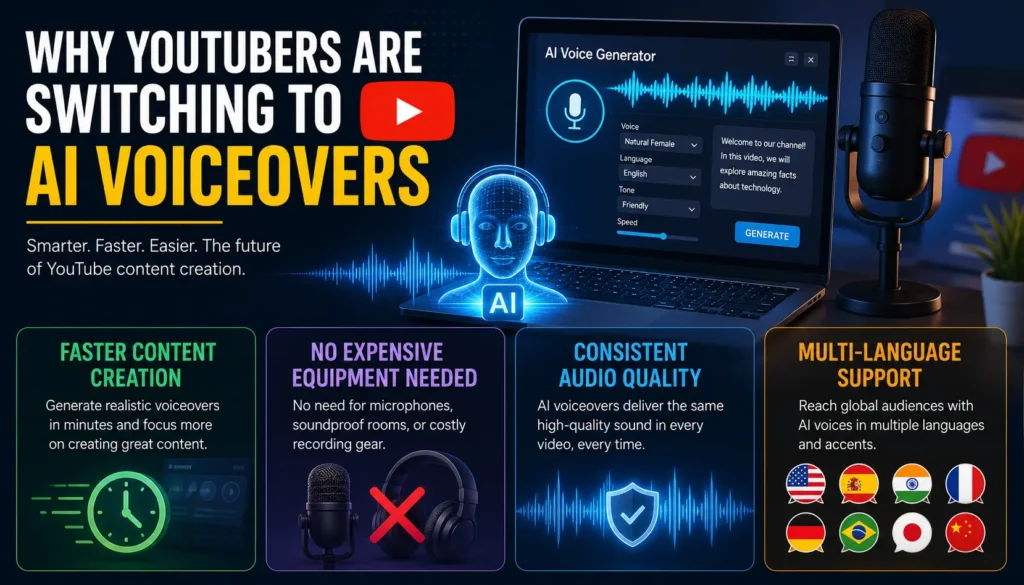
There’s a reason AI narration has become common across YouTube and short-form video platforms. For many creators, it solves several production challenges at once.
Faster Content Creation
Recording voiceovers manually takes time. Even experienced creators often spend hours fixing mistakes, adjusting tone, or removing background noise. AI narration dramatically speeds up this process.
If a script needs changes, creators can simply edit the text and regenerate the audio instantly instead of recording everything again.
No Expensive Equipment Needed
One of the biggest barriers for beginners is audio quality. A poor microphone can make videos sound unprofessional no matter how good the visuals are.
AI-generated narration removes the need for:
- High-end microphones
- Soundproof rooms
- Audio cleanup software
- Advanced editing skills
Consistent Audio Quality
Human recordings can vary depending on mood, environment, or energy level. AI narration provides consistency across videos, which is especially useful for channels uploading content daily.
Multi-Language Support
Many platforms now support dozens of languages and regional accents. This helps creators reach international audiences without hiring multiple voice actors.
For channels targeting global viewers, this can significantly expand reach and engagement.
Benefits of Using Free AI Voice Generators
Ideal for Faceless Channels
Faceless YouTube channels continue to dominate categories like:
- Finance
- Motivation
- Technology
- Educational content
- Facts and documentaries
- Gaming
These channels rely heavily on narration, and AI-generated voices make the process faster and easier to manage.
Saves Time During Editing
Anyone who has recorded voiceovers manually knows how frustrating retakes can become. One small mistake often means recording entire sections again.
With AI narration:
- Scripts can be updated instantly
- Timing adjustments are easier
- Audio remains consistent
- Production moves much faster
This is particularly useful for creators publishing daily Shorts or reels.
Budget-Friendly for New Creators
Hiring professional voice artists can become expensive, especially for small channels still growing their audience.
Free AI voice platforms allow creators to start producing quality content without major upfront costs.
Easier Workflow for Short-Form Content
Creators using AI Tools for shorts often need to publish content quickly. AI narration fits perfectly into fast-paced content workflows because it reduces production time significantly.
Best Free AI Voice Generators for YouTube Videos
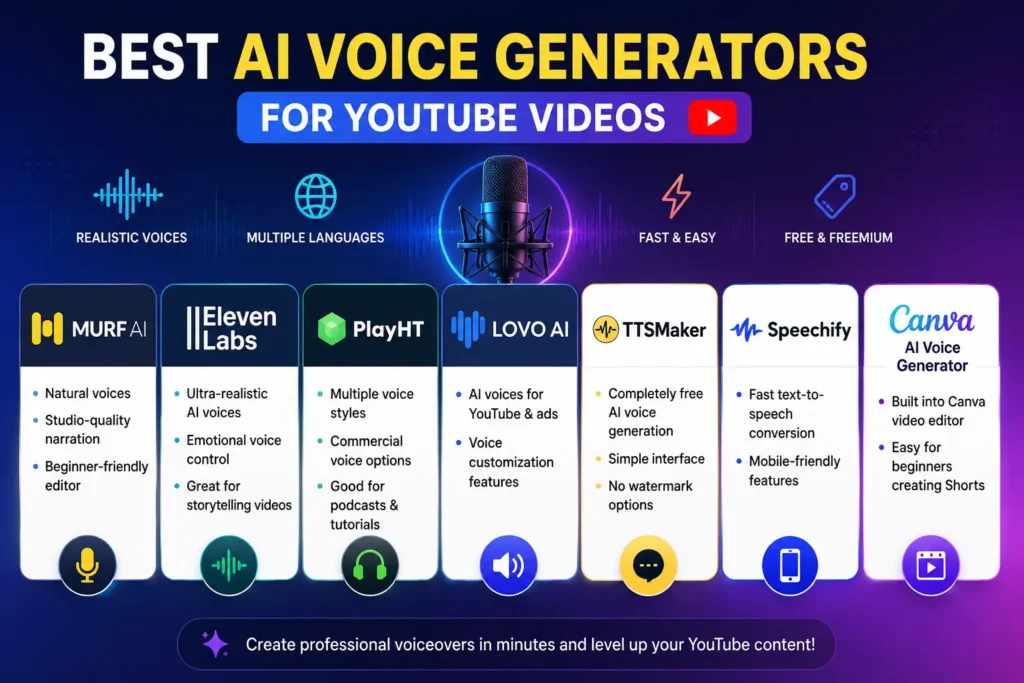
Murf AI
Murf AI is popular for its polished voice quality and beginner-friendly interface.
Key strengths:
- Natural narration
- Studio-quality sound
- Easy editing controls
- Good voice variety
It works especially well for tutorials and business-style content.
ElevenLabs
ElevenLabs has earned a strong reputation for highly realistic narration.
Creators often use it for:
- Storytelling videos
- Documentary channels
- Emotional narration
- Character-based scripts
Its voice realism is among the best currently available.
PlayHT
PlayHT offers a large collection of voices and supports many languages.
Best suited for:
- Podcasts
- Educational content
- Tutorials
- Long-form narration
LOVO AI
LOVO AI focuses heavily on customization.
Useful features include:
- Emotion controls
- Voice personalization
- Marketing narration
- Ad voiceovers
TTSMaker
TTSMaker is a simple solution for beginners who want quick voice generation without complicated settings.
Advantages:
- Free usage
- Clean interface
- No watermark exports
- Fast rendering speed
Speechify
Speechify is widely used for fast text-to-speech conversion and mobile accessibility.
It’s convenient for creators who edit videos directly from smartphones.
Canva AI Voice Generator
Canva includes built-in voice generation features within its video editor.
This makes it extremely useful for:
- Shorts creators
- Instagram reels
- Quick social media content
- Beginner video editing workflows
Comparison Table of Free AI Voice Generators
| Tool | Free Plan | Voice Quality | Languages | Watermark | Best For |
| Murf AI | Yes | High | Multiple | Limited | Professional narration |
| ElevenLabs | Yes | Very High | Multiple | No | Storytelling videos |
| PlayHT | Yes | High | 100+ | Limited | Podcasts |
| LOVO AI | Yes | High | Multiple | No | Marketing content |
| TTSMaker | Yes | Medium | Multiple | No | Beginners |
| Canva AI | Yes | Medium | Limited | No | Shorts and reels |
How to Use an AI Voice Generator
Step 1 – Write a Natural Script
The quality of your narration depends heavily on your script. Avoid writing overly formal or robotic sentences.
Instead:
- Use conversational language
- Keep sentences shorter
- Add pauses naturally
- Write the way people actually speak
Many creators struggle with robotic narration simply because the script itself sounds unnatural.
Step 2 – Choose the Right Tool
Not every platform fits every type of content.
For example:
- Storytelling channels may prefer realistic emotional voices
- Tutorial creators may prioritize clarity
- Shorts creators may focus on speed and simplicity
Choose based on your content style and workflow.
Step 3 – Select Voice and Accent
Experiment with:
- Male and female voices
- Regional accents
- Speaking speed
- Tone variations
The voice should match the mood of the content.
Step 4 – Preview and Edit
Always listen carefully before exporting.
Small adjustments to pauses, emphasis, and speed can make a major difference in realism.
Step 5 – Sync Audio With Video
Import the narration into your editing software and align it carefully with visuals, captions, and transitions.
Good timing improves viewer retention significantly.
Also know more about:
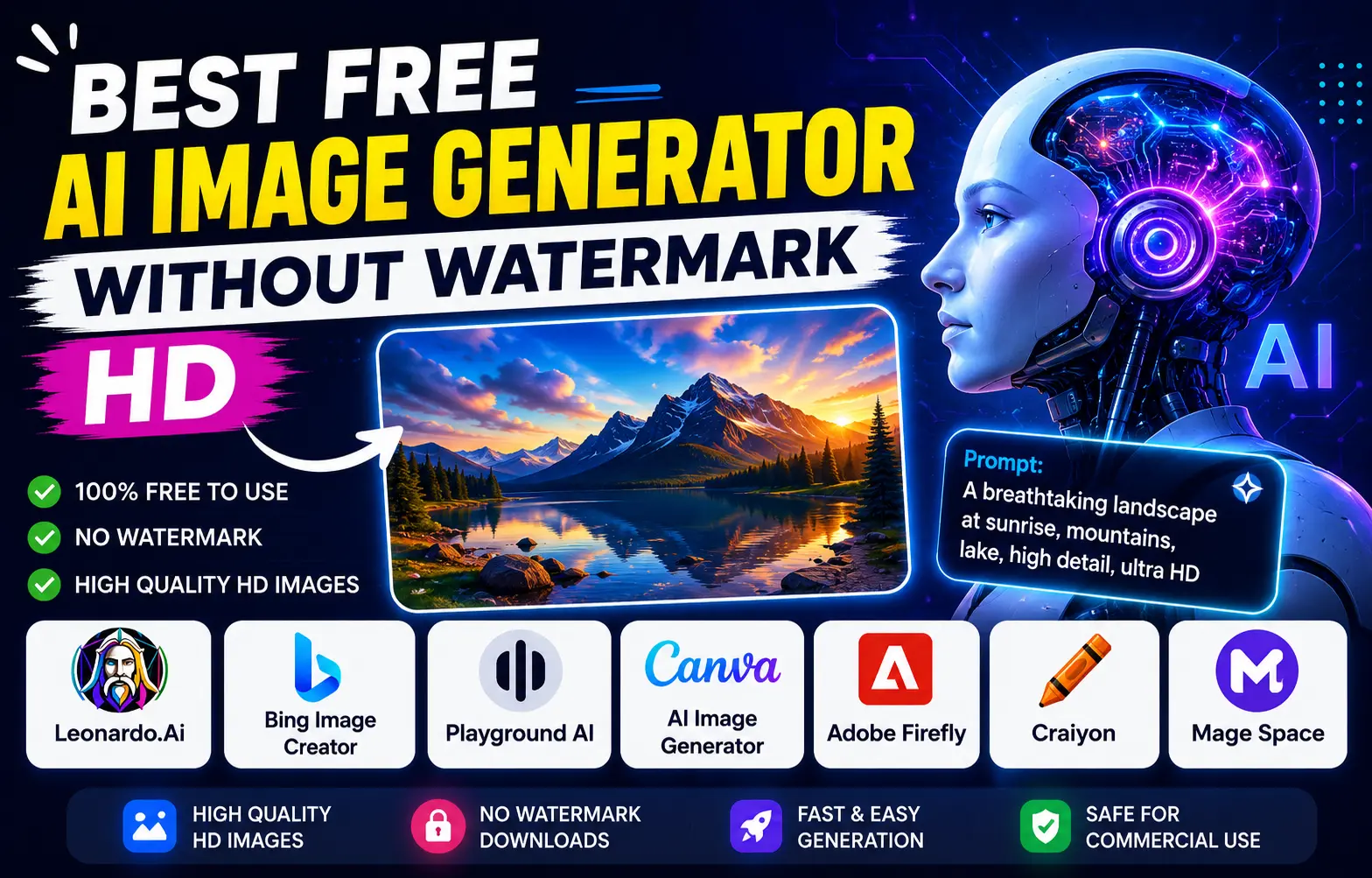
Best Free AI Image Generator Without Watermark HD
Auto Subtitle Generator AI for Reels Free
AI Video Editor Without Watermark Free For Youtube and more.
Best Types of Videos for AI Narration
AI-generated narration works particularly well for:
- Faceless channels
- Educational tutorials
- Product reviews
- Gaming videos
- Motivational content
- Technology explainers
- YouTube Shorts
Creators using an AI Reel Maker Tool often combine narration, subtitles, and stock footage to create complete videos quickly.
Features to Look For Before Choosing a Tool
Human-Like Voice Quality
Realistic delivery improves viewer engagement and watch time.
Multiple Language Support
Useful for channels targeting global audiences.
Emotion and Tone Control
Emotion settings help narration sound less robotic.
Export Flexibility
MP3 and WAV support make editing easier.
Commercial Usage Rights
Always check whether monetized use is allowed under the platform’s terms.
Common Mistakes to Avoid
Choosing Low-Quality Voices
Poor narration quality can reduce audience trust immediately.
Using Long, Complicated Sentences
AI narration sounds more natural with shorter sentence structures.
Ignoring Pronunciation Errors
Always preview difficult names or technical terms before exporting.
Forgetting Background Audio Balance
Music should support narration, not overpower it.
Using the Same Voice for Every Video
Changing voice styles occasionally can help keep content fresh.
Tips to Make AI Voiceovers Sound More Human
Add Natural Pauses
Small pauses create more realistic pacing.
Write Conversationally
Scripts should sound like real speech, not textbook paragraphs.
Adjust Voice Speed Carefully
Extremely fast narration feels unnatural.
Emphasize Important Words
Strategic emphasis keeps viewers engaged.
Combine With Light Background Music
Soft music can improve emotional impact and overall production quality.
Can You Monetize Videos Using AI Narration?
Yes, YouTube generally allows monetization of videos using AI-generated narration as long as the content itself remains original and valuable.
Important Things to Remember
- Follow YouTube monetization policies
- Avoid copyright violations
- Check commercial licensing terms
- Use voice cloning ethically
The narration tool alone does not determine monetization eligibility. Content quality still matters most.
The Future of AI Voice Technology
AI-generated narration is improving rapidly. Over the next few years, creators can expect:
- More realistic speech patterns
- Real-time voice generation
- Personalized AI narrators
- Better emotional expression
- Fully automated video creation workflows
As short-form content continues growing, creators using AI Tools for shorts will likely rely even more on automation to maintain publishing speed and consistency.
Conclusion
AI voice technology has made professional-quality narration accessible to almost everyone. Whether you run a faceless YouTube channel, create educational videos, or publish daily Shorts, these tools can simplify your workflow while reducing production time and costs.
The most important factor is not simply choosing the most advanced platform. Success comes from combining natural scripts, realistic voices, proper editing, and engaging visuals into a smooth viewing experience.
Free tools are more than enough for beginners getting started. As your content grows, you can explore advanced features like voice cloning, emotional delivery, and multilingual narration.
The creators who adapt early to these tools are likely to gain a strong advantage in content speed, consistency, and scalability.
Frequently Asked Questions (FAQs)
1. What is the best free AI voice generator for YouTube videos?
Some of the best free AI voice generators for YouTube videos include ElevenLabs, Murf AI, and TTSMaker. These tools are popular for their realistic voices, beginner-friendly features, and fast voiceover generation.
2. Can YouTube videos with AI narration be monetized?
Yes, YouTube allows monetization for videos using AI-generated narration if the content is original, valuable, and follows YouTube monetization and copyright policies.
3. Which AI voice platform sounds the most realistic?
ElevenLabs is widely considered one of the most realistic AI voice platforms because of its natural speech patterns, emotional tone control, and human-like narration quality.
4. Are free AI narration tools safe to use?
Most trusted AI narration platforms are safe when accessed through their official websites and used according to their licensing and privacy policies.
5. Can AI voice generators support multiple languages?
Yes, many modern AI voice generators support multiple languages and regional accents, helping creators produce content for global audiences more effectively.